
How to Use
Blooket Hacker runs automatically on Blooket. Once the extension is installed, it works in the background whenever you play on blooket.com.
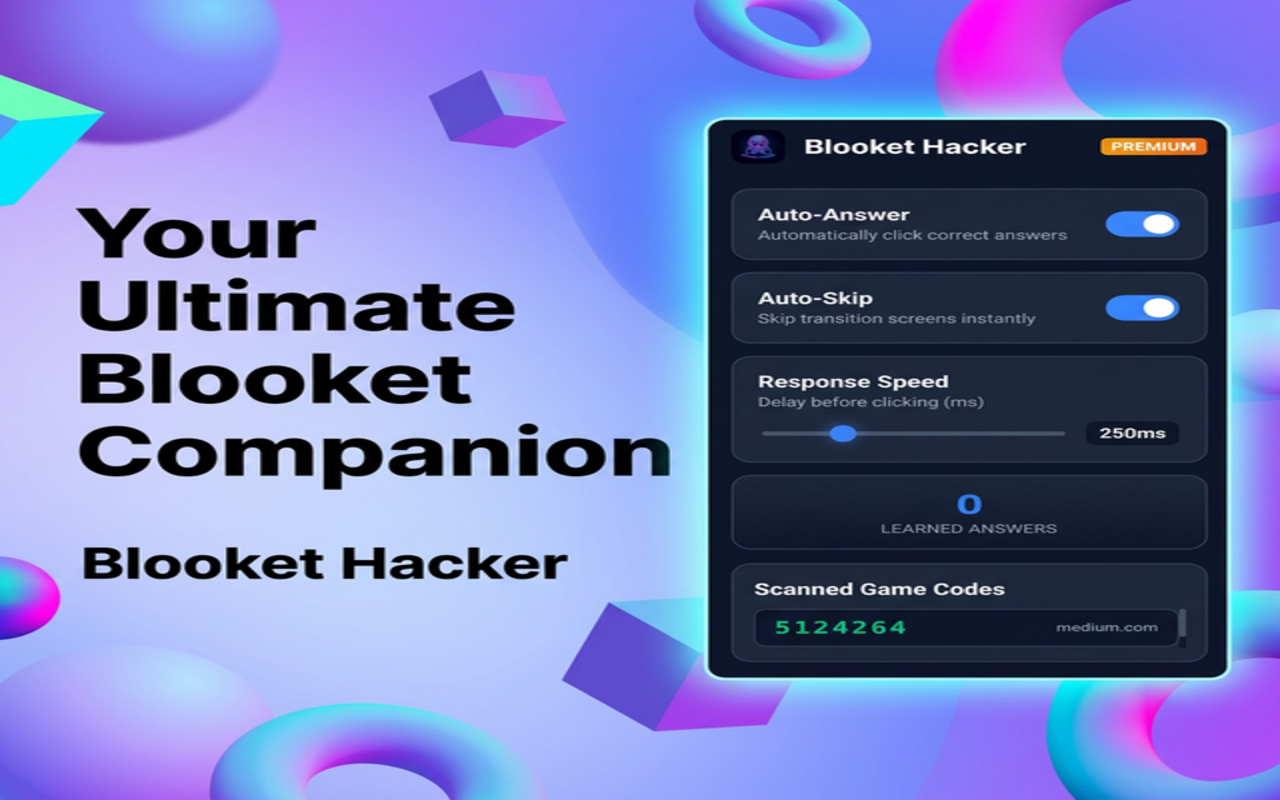
- Auto-Answer — The extension learns correct answers as you play and automatically clicks the right answer in later rounds.
- Auto-Skip — Transition screens (Next, Play Again) are skipped so you keep playing without delay.
- Response Speed — Adjust the delay before each click in the popup so answers feel natural.
Steps
- Install the extension from the Chrome Web Store (or load it unpacked for development).
- Go to blooket.com and join or host a game.
- Click the extension icon to open the popup. Turn Auto-Answer and Auto-Skip on or off and set the response speed.
- Play as usual. The extension learns from your correct answers and will auto-answer when it recognizes the same questions.
Tips
- Answer a few questions yourself at the start so the extension can learn.
- Use Clear Learned Data in the popup if you want to reset saved answers.
- Scanned game codes appear in the popup so you can see which games you’ve visited.
Requirements
Works on Blooket game pages. Make sure you’re on a *.blooket.com URL. The extension does not run on other sites.